

 -
Paul Williams, USA
Rating: 4.9 - 3919 reviews
-
Paul Williams, USA
Rating: 4.9 - 3919 reviews
This is an excellent product, the service and support is first class this has been one of the best products i have used especially how it helps so much in my day to day business."
About 4Team Corporation,
the company behind Sync2
We are a Microsoft Gold Certified Partner and independent software developer and vendor. Since 1999 we have provided business solutions to our corporate customers and individual end-users worldwide. We are very proud to be highly recommended by our satisfied customers and offer award-winning support.




Synchronize Outlook and Android Contacts and other Sync2 features
Syncing Outlook Contacts with Android and vise versa
Sync2 will keep your Android with Outlook Contacts in sync at all times. Transfer your contacts from Microsoft Outlook account to Android device and vice versa.
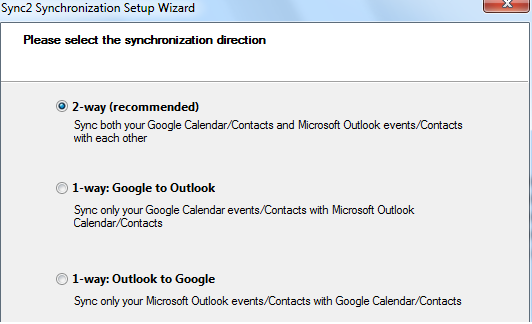
Sync Outlook with Android using Google services
Sync2 is using Google services, such as Google Calendar and Gmail Contacts, as intermediaries, in order to synchronize Android device with Outlook. So, in a few simple steps outlined below you will able to set up Microsoft Outlook synchronization with Android on your computer.

Sync Outlook with Android device automatically
Sync2 will keep your Outlook and Android devices in sync automatically. Sync Android Contacts with Outlook 2016, 2013, 2010, 2007.
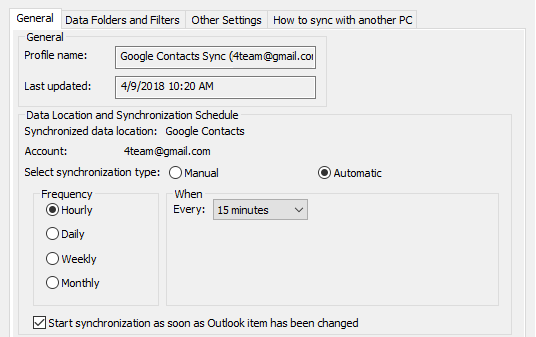
How to Synchronize Outlook Contacts with Android
Just follow these simple steps:
- Download and Install Sync2 on a PC where Microsoft Outlook needs to be synchronized;
- Launch Sync2 and create a new synchronization profile;
- Choose Google Services synchronization option;
- Select the type of data you want to synchronize and log in to your Google account;
- Click “Finish” to complete the Sync2 synchronization profile.
Just in a few moments your data will be synchronized.
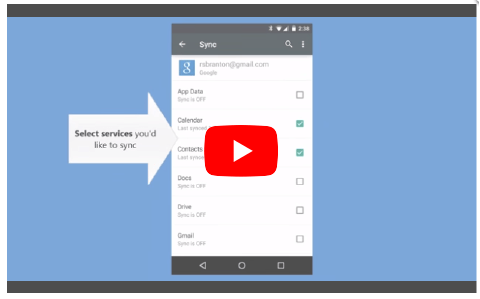
The software you can trust