Sync Samsung Galaxy with Outlook using Sync2. Try it free.
Sync Samsung Galaxy with Outlook so you can view Google Contacts and Calendar events in your Outlook. Sync your Google Contacts and Calendar securely. Greatly improved Sync performance: Faster sync saves hundreds of valuable IT hours.
 FREE DOWNLOAD
No Commitment. Privacy Policy and
System Requirements
 PURCHASE
The software you can trust. Licensing (EULA)

Sync2 Customer Reviews
Sync Samsung Galaxy with Outlook and other Sync2 features:
Display Samsung Galaxy Contacts and Calendar in selected Outlook accounts. View same Contacts, events and meetings on your Samsung Galaxy and selected computers.

Sync Samsung Galaxy with Outlook
To Sync Samsung Galaxy with Outlook please install Sync2 on the computers running Outlook. After an easy setup your Google Contacts, Tasks and Calendar events will be synced and displayed in the selected Outlook.
Sync Samsung Calendar with Outlook
Synchronize Samsung Calendar with Outlook so you can view Google Calendar events in your Outlook Calendar. Sync your Google calendar securely.
Sync Samsung Contacts with Outlook Contacts
Sync your Samsung Galaxy Contacts with Outlook Contacts. Display and view the same Contacts information on selected computers running Outlook.

Sync Google Tasks with Outlook Tasks
Sync and Share your Google Tasks with selected Outlook accounts. As soon as you update a task in your Google Tasks, your colleagues could view it in Outlook.

Share Google Calendar with selected Outlook users
Share your Google Calendar with selected Outlook accounts. Share reminders, availability and other event details with your teammates.

Fully automatic two-way/bidirectional sync
Choose 1 or two-way synchronization directions for different team members. Sync2 allows flawless bidirectional sync between Google Calendar and Outlook. Any changes made in one source will automatically appear on the other.

Avoid creating duplicates
Sync2 automatically matches entries to avoid creating duplicate contacts or events. We make sure that all shared data is duplicate-free.
How to Sync Samsung Galaxy with Outlook
Sync2 allows you to keep your Contacts, Calendars and Tasks perfectly in sync
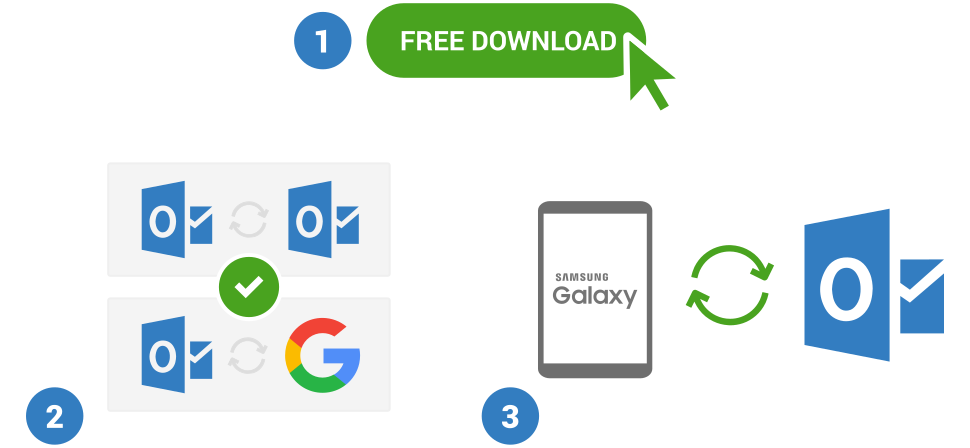
- Download and Install Sync2 on a computer with Microsoft Outlook;
- Launch Sync2 and create a new synchronization profile;
- Choose Google Services synchronization option;
- Choose Microsoft Outlook Calendar/Contacts/Tasks option and log in to your Google account;
- Click “Finish” to start synchronization immediately or configure advanced synchronization settings.
- You have successfully synced Google Contacts and Calendar events with Outlook. Any changes will be updated on connected devices automatically.

About 4Team Corporation,
the company behind Sync2
4Team Corporation is a Microsoft Gold Certified Partner and independent software vendor. Since 1999 we are developing software for Microsoft Windows and Add-ins for Microsoft Outlook. Our SyncGene service makes collaboration between different platforms an easy task. Add shared Calendar, Contacts list or Tasks to devices you use. We are serving hundreds of thousands of customers around the world. We are very proud to be highly recommended by our customers and offer award-winning support.
Our satisfied customers
Customers all over the world are successfully using 4Team Corporation services for personal and business needs